How to Get CompTIA A+ Certification: Step-by-Step Guide
Learning how to get CompTIA A+ certification is one of the smartest first moves you can make if you want to start a career in IT. CompTIA A+ is the most widely recognised entry-level IT certification in the world, and it is the credential that thousands of employers in the United States and Europe ask for when they hire help desk technicians, IT support specialists, and desktop support staff.
You do not need a degree, a computer science background, or years of experience to earn it. You need two exam passes, a solid study plan, and some hands-on practice — and this guide walks you through every step.
The A+ certification proves you can install, configure, and troubleshoot computers, networks, mobile devices, and operating systems. It is vendor-neutral, which means it is not tied to one brand like Microsoft or Apple, so the skills you learn apply to almost any workplace. For someone with no IT background, it is the clearest and most respected way to get your foot in the door. For someone already working in a junior support role, it is the credential that turns a temporary job into a real career path.
One important warning before you spend any money: CompTIA updates the A+ exams every few years, and the current version matters. The current series is V15 — Core 1 (220-1201) and Core 2 (220-1202) — launched on 25 March 2025. The older 220-1101 and 220-1102 exams retired on 25 September 2025 and can no longer be taken. Do not buy study books, video courses, or practice exams for the retired 1101/1102 series. Always confirm the current exam version on CompTIA before you book, because studying for the wrong version is the single most expensive mistake a beginner can make.
Table of Contents
Quick Answer
To get CompTIA A+ certification, you need to pass two exams from the same current series: Core 1 (220-1201) and Core 2 (220-1202). There are no formal prerequisites — you can book either exam first, though most people take Core 1 first. Each exam has up to 90 questions, lasts 90 minutes, and is scored on a 100–900 scale (Core 1 passing score is 675; Core 2 passing score is 700).
You book and sit the exams through Pearson VUE, either at a test centre or online with a proctor. Each exam costs about $274 at the time of writing, so budget around $548 for both, and always verify the current price on comptia.org before booking. With a focused study plan, most beginners are ready in 3 to 6 months.
What Is CompTIA A+ Certification?
CompTIA A+ is an entry-level IT certification issued by CompTIA, the Computing Technology Industry Association, a non-profit trade association that has set industry standards for IT skills since the 1980s. It is designed to certify that you have the core knowledge and practical skills needed for an entry-level IT support job.
Unlike a university degree, A+ is a practical, job-focused credential. The exams test what you can actually do: identify a faulty component, fix a network connection, remove malware, set up a mobile device, or explain a technical problem to a non-technical user. Employers value it precisely because it maps so closely to the daily work of an IT support technician.
A+ is also vendor-neutral. The skills you learn are not limited to one company’s products. You will learn about Windows, macOS, Linux, Android, and iOS, and about hardware from many different manufacturers. That breadth is why the certification travels well: an A+ earned in the United States is recognised by employers across Europe too, and it is often listed as a required or preferred qualification in job adverts for support roles in the UK, Germany, Ireland, the Netherlands, and beyond.
Who Is A+ For?
A+ is built for beginners, and it is the right certification if any of these describe you:
- You want your first IT job and have no professional experience yet.
- You already help friends and family fix their computers and want to turn that into paid work.
- You work in retail, customer service, or another field and want to change careers into technology.
- You are in a junior IT role — for example, a help desk trainee — and want a credential that proves your skills and supports a promotion or a pay rise.
- You are returning to work after a career break and need a recognised, current qualification to show employers.
- You are a student or recent graduate who wants a practical certification alongside your studies.
You do not need to be a programmer, and you do not need to know how to code. A+ is about supporting technology, not building software. If you are comfortable using a computer every day and you enjoy solving problems, you have the right starting point.
What Jobs Does A+ Lead To?
A+ is not a magic ticket to a six-figure salary, but it genuinely opens doors to real entry-level IT roles. Common job titles for A+ holders include help desk technician, IT support specialist, desktop support technician, field service technician, technical support specialist, and service desk analyst. In larger organisations, A+ can also be a stepping stone to network administrator or systems administrator roles, usually after you add experience and a further certification such as CompTIA Network+ or Security+.
Many employers in the US and Europe list A+ as a requirement in their job adverts, and some large employers — including government departments and defence contractors in the US — require it for certain support roles. Having it on your CV gets you past the first screening stage, which is exactly where most applicants without experience get stuck.
The Two Exams: Core 1 and Core 2
To earn the certification you must pass two exams. Both must be from the same version — you cannot mix a V15 Core 1 with an older Core 2. CompTIA will only award the certification when both passes are from the same series, so always double-check the exam codes when you book: 220-1201 and 220-1202.
Core 1 (220-1201): Hardware and Networking
Core 1 focuses on the physical side of IT: the devices, the components inside them, and the networks that connect them. It covers five domains:
- Mobile Devices — 13%: Laptops, smartphones, tablets, and wearable devices. You need to know how to configure them, connect them to networks, and troubleshoot common problems such as battery, display, and connectivity issues.
- Networking — 23%: Network types, cables, connectors, wireless standards, IP addressing, ports and protocols, and basic network configuration. This is a big section, and it is where many beginners lose marks, so give it extra study time.
- Hardware — 25%: The largest Core 1 domain. It covers CPUs, RAM, storage devices, motherboards, power supplies, printers, and display technologies. You need to know what each component does, how to install and upgrade it, and how to choose the right part for a given need.
- Virtualization and Cloud Computing — 11%: The basics of virtual machines, hypervisors, and cloud service models such as IaaS, PaaS, and SaaS. This is a smaller domain, but it appears on every exam, so do not skip it.
- Hardware and Network Troubleshooting — 28%: The largest single domain in Core 1. You will be given symptoms — a computer that will not boot, a network with no connectivity, a printer that will not print — and asked to identify the most likely cause and the best next step. This section rewards hands-on practice more than memorisation.
Core 2 (220-1202): Operating Systems, Security, and Software
Core 2 focuses on the software side: operating systems, security, and the procedures that professional IT staff follow. It covers four domains:
- Operating Systems — 28%: Installing and configuring Windows, macOS, and Linux, managing users and permissions, using command-line tools, and handling updates and recovery. Windows is the biggest part of this domain, but you will also see questions on macOS and Linux.
- Security — 28%: Threats and vulnerabilities, malware removal, physical security, wireless security, authentication, and data destruction. Security is tied with operating systems as the biggest Core 2 domain, so it deserves serious study time.
- Software Troubleshooting — 23%: Diagnosing problems with applications, operating systems, and mobile devices. Like the troubleshooting domain in Core 1, this section tests how you think through a problem step by step, not just what you have memorised.
- Operational Procedures — 21%: The professional side of IT support: documentation, change management, incident response, safety procedures, licensing, and communication with users. Beginners often underestimate this domain because it feels less technical, but it is worth more than a fifth of the exam.
Exam Format and Passing Scores
Both exams follow the same format. Each has up to 90 questions and a time limit of 90 minutes. Questions are a mix of multiple-choice, multiple-response, drag-and-drop, and performance-based questions. Performance-based questions ask you to actually do something in a simulated environment — for example, configure a network setting or arrange components in the correct order — rather than just pick an answer. These questions carry more weight, so take them seriously and do not rush them.
Both exams are scored on a scale of 100 to 900. The passing score for Core 1 is 675 and for Core 2 is 700. That means Core 2 has a slightly higher bar, and many candidates find it the harder of the two. You do not need a perfect score. You need to pass, so focus your study on the highest-weighted domains and on understanding concepts rather than memorising trivia.
The V15 Update: What Changed and What to Watch Out For
The V15 series (220-1201 and 220-1202) launched on 25 March 2025 and replaced the older 1101/1102 series, which retired on 25 September 2025. If you see a cheap second-hand study guide, a discounted video course, or a practice exam bundle that mentions 220-1101 or 220-1102, do not buy it. It covers an exam you can no longer take.
The V15 update reflects how IT support work has changed: more emphasis on cloud computing, virtualization, remote work tools, and modern security threats. The core structure is the same — two exams, the same broad domains — but the details have moved on. Make sure every study resource you buy or download is labelled for 220-1201 and 220-1202. Before you book either exam, check the current version and exam codes on comptia.org. It takes thirty seconds and it protects you from the most common and most expensive beginner mistake.
How Much Does CompTIA A+ Cost?
Each exam costs about $274 at the time of writing, so the full certification costs around $548 in exam fees alone. Treat that figure as approximate: CompTIA adjusts prices over time, and the price can vary slightly by country and currency. Always verify the current price on comptia.org before you budget or book.
Your total cost will be higher than the exam fees alone, because you will also need study materials. A realistic budget for a self-studying beginner is $650 to $900 in total, including both exams, one good study book, a video course, and a practice exam pack. Some people spend less by using free resources and library books; others spend more on a bootcamp or an instructor-led course. You do not need a bootcamp to pass. Thousands of people pass A+ every year through self-study alone.
A few money-saving tips: look for exam voucher bundles, which sometimes include a retake at a discount; check whether your employer, college, or local workforce programme will pay for the exam; and buy the official CompTIA study materials only when they are on sale. Never buy a voucher from an unofficial reseller you cannot verify — a fake or already-used voucher is money lost.
Your Study Plan: From Zero to Exam-Ready
Most beginners need 3 to 6 months to prepare for both exams if they study part time, and 2 to 3 months if they study full time. The exact time depends on your starting knowledge. If you already build your own PCs and help friends with their Wi-Fi, you may be ready faster. If you are starting from scratch, plan for the longer end of the range and do not rush. Failing an exam costs $274 and weeks of lost momentum, so it is cheaper to study thoroughly the first time.Thi s is a realistic pace for learning how to get CompTIA A+ certification while working or studying alongside a job.
Here is a realistic 12-week plan that covers both exams. Adjust the pace to your life, but keep the order: Core 1 first, then Core 2.
Weeks 1–2: Learn the Basics and Set Up Your Lab
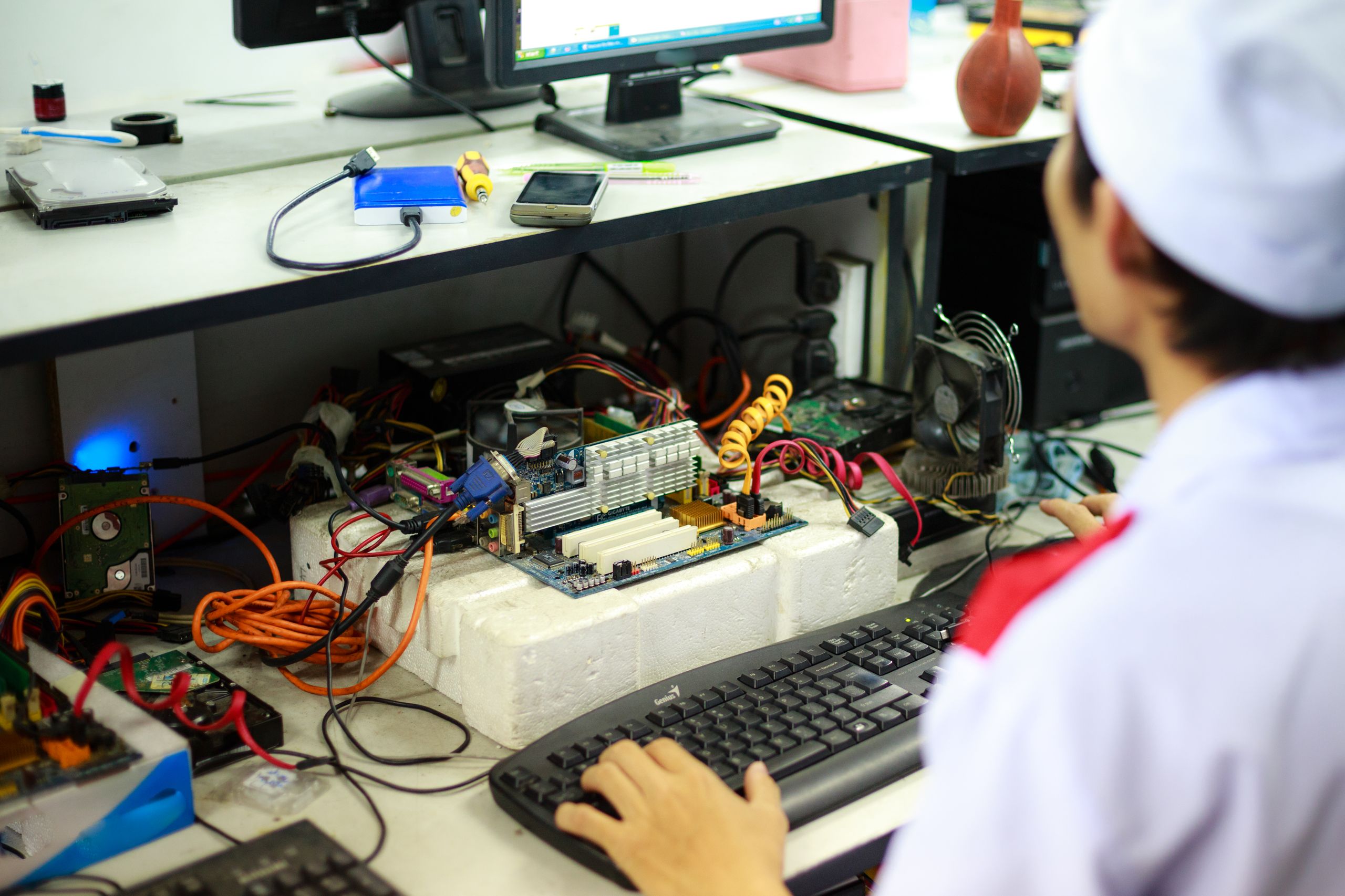
Start with the fundamentals: how a computer works, what each component does, and the basic vocabulary of IT. Read the first chapters of your study book, watch an introductory video course, and set up a practice space. Your practice space does not need to be expensive. An old laptop or desktop you can take apart and rebuild is ideal. If you do not have spare hardware, a virtual machine on your own computer works well for the software side — you can install Linux in a virtual machine for free and practise command-line tools without risking your main system.
Weeks 3–6: Study Core 1 in Depth
Work through the Core 1 domains in order of weight: Hardware, Hardware and Network Troubleshooting, Networking, Mobile Devices, and Virtualization and Cloud Computing. For each domain, read the material, take notes in your own words, and then do something practical. If you studied RAM, open a computer and reseat a memory module. If you studied networking, log into your home router, check the settings, and practise assigning a static IP address. Hands-on work is what turns reading into knowledge that survives exam day.
Weeks 7–8: Practice Exams for Core 1, Then Book It
Take your first full practice exam for Core 1. Review every question you got wrong and every question you guessed, and go back to study those topics. Take a second practice exam a few days later. When you are consistently scoring 85% or higher on practice exams from a reputable provider, book the real exam. Booking creates a deadline, and a deadline is the best motivator there is.
Weeks 9–11: Study Core 2 in Depth
Now switch to Core 2: Operating Systems, Security, Software Troubleshooting, and Operational Procedures. Security deserves extra time, because it is 28% of the exam and the questions are detailed. Practise the practical skills too: install an operating system in a virtual machine, create user accounts and set permissions, run a malware scan and remove a test threat, and practise the Windows command-line tools until you can use them without looking them up.
Week 12: Practice Exams for Core 2, Then Book It
Repeat the practice exam routine for Core 2. When your scores are consistently strong, book the exam. Many people take Core 2 within two to four weeks of passing Core 1, while the study habit is still fresh.
How Many Hours a Week?
Aim for 8 to 12 hours a week if you are working or studying alongside your preparation. That is roughly 90 minutes a day, five days a week, with a longer session at the weekend. Short, regular study sessions beat occasional marathon sessions: your brain remembers more from five one-hour sessions than from one five-hour session. Study in a quiet place, put your phone away, and keep a simple log of what you covered each day so you can see your progress.
Choosing Study Materials
You do not need every book and course on the market. You need one good primary resource, one video course, and one set of practice exams. Too many resources is a real problem: it creates confusion, wastes money, and makes it hard to finish anything. A focused set of materials is all you need when you are learning how to get CompTIA A+ certification.
Books
A comprehensive A+ study guide written for the 220-1201 and 220-1202 exams should be your main resource. Look for a book that covers every exam objective, includes review questions at the end of each chapter, and was published after the V15 launch in March 2025. Check the edition and the exam codes on the cover before you buy — a book for the retired 1101/1102 exams will not help you.
Video Courses
A video course is useful if you learn better by watching and listening than by reading. Good courses walk you through each domain, demonstrate the practical skills on screen, and explain the concepts in plain language. Watch at normal speed the first time, take notes, and re-watch any section you found difficult. Avoid courses that promise you will pass in a week with no effort — they are selling a fantasy, not a study plan.
Free and Low-Cost Resources
CompTIA publishes the official exam objectives for free on its website. Download them and use them as your checklist: every topic on the objectives list can appear on the exam, and anything not on the list will not. Free video tutorials, community forums, and flashcard apps can all help, especially for memorising ports, protocols, and command-line tools. Your local library may also have current A+ study books, which is an easy way to save money.

Hands-On Practice: The Part Most Beginners Skip
Reading about hardware is not the same as handling it, and the A+ exams know the difference. The troubleshooting questions and the performance-based questions reward people who have actually done the work. You need hands-on practice, and it does not have to cost much.
Here are practical things you can do at home, even with no spare equipment:
- Take apart an old computer and put it back together. Identify every component, check the connections, and boot it up again.
- Install an operating system from scratch in a virtual machine. Practise partitioning a drive, creating user accounts, and installing drivers.
- Set up a home network. Log into your router, change the Wi-Fi password, set up a guest network, and check which devices are connected.
- Practise the Windows command-line tools the exam covers: ipconfig, ping, tracert, netstat, chkdsk, sfc, and diskpart. Run them, read the output, and learn what each result means.
- Practise on Linux too. Basic commands such as ls, cd, pwd, chmod, and apt are all fair game on Core 2.
- Simulate common problems and fix them. Disconnect a cable and diagnose the fault. Change a setting and work out why something stopped working. The habit of thinking through a problem step by step is exactly what the troubleshooting domains test.
- Help friends and family with their computer problems. Every real problem you solve is practice, and it builds the confidence you will need in a support job.
If you have no spare hardware at all, virtual machines and online lab simulators cover most of the software side. But try to get your hands on a real computer to open up at least once. The physical experience of handling RAM, a hard drive, and a motherboard makes the hardware domain far easier to remember.
Practice Exams: How to Use Them Properly
Practice exams are the single best predictor of whether you will pass the real thing — but only if you use them correctly. A practice exam is a diagnostic tool, not a memory test. Here is how to get the most from them.
First, do not take a practice exam until you have studied the material. Taking one cold tells you nothing except that you are not ready yet, and it wastes a resource you will want later.
Second, take practice exams under real conditions: 90 minutes, no notes, no phone, no pausing. The real exam is timed, and time pressure is part of the challenge. If you practise without a timer, you will be surprised on exam day.
Third, review every wrong answer and every guess. Do not just check your score and move on. For each question you missed, find the topic in your study book, re-read it, and write a short note explaining the correct answer in your own words. This review step is where most of the learning happens.
Fourth, use practice exams from a reputable provider whose questions are written for the V15 exams. Free practice questions from random websites are often outdated, wrong, or copied from the retired exams. A good practice exam pack costs money, but it is far cheaper than failing the real exam.
Finally, do not memorise practice questions. CompTIA does not reuse its practice questions on the real exam, and memorising answers without understanding the concepts will not help you. Use the rule of thumb that you are ready when you consistently score 85% or higher on full-length practice exams from a reputable provider — and you can explain why each answer is correct.
How to Book the Exam Through Pearson VUE
CompTIA exams are delivered by Pearson VUE, the testing company. Booking is straightforward and done online.
- Create a CompTIA account on comptia.org if you do not already have one, and make sure your name matches your government-issued photo ID exactly. A mismatch can stop you from taking the exam.
- Go to the Pearson VUE website and select the exam you want: 220-1201 for Core 1 or 220-1202 for Core 2. Double-check the exam code before you confirm.
- Choose how you want to take the exam: at a Pearson VUE test centre, or online with a live proctor through OnVUE. Test centres are available in most cities in the US and Europe. Online testing lets you take the exam from home, but it has strict rules about your room, your desk, and your webcam, and you will need a quiet, private space.
- Pick a date and time, and pay the exam fee — about $274 per exam at the time of writing. Always verify the current price on comptia.org before you pay.
- You will receive a confirmation email with the details of your booking. Read it carefully, and note the exam rules, the ID requirements, and the check-in time.
You can reschedule or cancel, but there are deadlines — usually at least 24 hours before the exam — and late changes may cost you the fee. If something goes wrong on the day, contact Pearson VUE as soon as possible.

Exam-Day Tips
Exam day is mostly about managing nerves and time. The knowledge is already in your head; your job is to let it out without panicking.
- Arrive early. For a test centre, aim to be there at least 30 minutes before your appointment. For an online exam, log in and complete the check-in process at least 30 minutes early.
- Bring the right ID. You need a government-issued photo ID that matches the name on your booking exactly. Check the ID rules in your confirmation email — they vary by country.
- Read every question carefully. CompTIA questions are often long, and the correct answer can depend on one word. Read the whole question before looking at the answers.
- Answer the easy questions first. If a question stumps you, flag it and move on. You can come back to flagged questions at the end, and you do not want to run out of time on questions you could have answered.
- Watch the clock. You have 90 minutes for up to 90 questions, which is about a minute per question. Performance-based questions take longer, so keep an eye on the time and do not spend five minutes on a single question.
- Use the process of elimination. If you can rule out two of the four answers, your odds improve dramatically even if you are not sure of the correct one.
- For troubleshooting questions, follow the official CompTIA troubleshooting methodology: identify the problem, establish a theory, test the theory, establish a plan of action, verify full functionality, and document your findings. Many questions are designed around this sequence.
- Stay calm if the first few questions feel hard. The exam is adaptive in difficulty only in the sense that questions vary; a hard start does not mean you are failing. Keep going, trust your preparation, and finish every question. There is no penalty for guessing, so never leave a question blank.
After You Pass: Renewal and CEUs
CompTIA A+ certification is valid for three years from the date you pass your second exam. To keep it active, you must renew it before it expires. There are two main ways to renew.
The simplest route is to earn 20 Continuing Education Units (CEUs) over the three-year period and pay the renewal fee. You earn CEUs through activities such as completing approved training courses, attending industry events, publishing relevant content, or earning a higher CompTIA certification. Many A+ holders renew by earning a higher certification — for example, passing CompTIA Network+ automatically renews A+, because the higher certification covers the lower one.
The other route is to retake the current version of the A+ exams, but almost nobody chooses this, because earning CEUs or a higher certification is cheaper and more useful. Keep a simple record of your training and activities from the day you pass, so renewal is easy when the time comes. And set a calendar reminder for two and a half years after you pass, so the deadline never catches you by surprise.
Jobs You Can Get With CompTIA A+
Once you have the certification, the next step is turning it into a job. A+ is strongest for entry-level support roles, and it works best when it is paired with a good CV and a clear job search strategy. That is the payoff for learning how to get CompTIA A+ certification.
Typical first roles include help desk technician, IT support specialist, desktop support technician, and field service technician. Starting salaries vary by location and employer, but these roles are the standard entry point into IT in both the US and Europe, and they offer real progression: from help desk to desktop support, then to network or systems administration, and beyond.
To make the most of the certification, build a simple CV that leads with the certification and any hands-on experience you have — including volunteer work, helping friends and family, and your home lab projects. If you are starting with no professional experience at all, read our guide on how to get a job with no experience for a step-by-step approach to applications, and use our guide on how to write a resume to make sure your CV presents your skills clearly. A+ gets you past the screening stage; a clear, honest CV and a good interview get you the job.
You should also start building experience while you study, not after. Volunteer to help a local charity, school, or small business with their IT. Offer to set up a home network for a neighbour. Every real problem you solve is something you can talk about in an interview, and employers love candidates who can give concrete examples instead of just listing a certificate.
Common Mistakes to Avoid
Studying for the Wrong Exam Version
This is the most expensive mistake, and it is entirely avoidable. The current exams are 220-1201 and 220-1202. The old 220-1101 and 220-1102 exams retired on 25 September 2025. If your study book, video course, or practice exam mentions the old codes, stop using it. Always confirm the current version on comptia.org before you buy materials or book an exam.
Mixing Exam Versions
Both exams must be from the same series. You cannot pass Core 1 on V15 and Core 2 on an older version and expect CompTIA to award the certification. When you book, check the exam code every time.
Only Reading, Never Practising
A+ tests practical skills. If you only read about hardware and never touch it, you will struggle with the troubleshooting and performance-based questions. Build the habit of doing something practical after every study session, even if it is only running a command-line tool or exploring a settings menu.
Memorising Answers Instead of Understanding Concepts
Memorising practice exam answers feels productive, but it does not survive the real exam, because the real questions are different. Focus on understanding why an answer is correct. If you can explain a concept to a friend in plain language, you understand it well enough to pass.
Skipping the Operational Procedures Domain
Beginners often ignore the operational procedures domain because it feels less technical than hardware or security. It is worth 21% of Core 2. That is more than a fifth of the exam. Study documentation, change management, incident response, and professional communication properly — it is easy marks if you prepare, and easy marks lost if you do not.
Booking the Exam Too Early — or Never Booking It
Some people book the exam before they are ready and fail, wasting $274. Others study forever and never book, because they never feel ready. Use practice exam scores as your trigger: when you consistently score 85% or higher, book the exam. You will never feel 100% ready. That is normal.
Underestimating the Time Limit
Ninety minutes sounds generous until you are staring at a long scenario question with four plausible answers. Practise under timed conditions so the clock does not surprise you on exam day.
Ignoring Security
Security is 28% of Core 2, tied for the largest domain. It covers malware, threats, authentication, and data destruction in detail. Give it the study time its weight deserves, and do not assume that general computer knowledge is enough.
Getting Started Checklist
- Confirm the current exam version on comptia.org — you need 220-1201 and 220-1202
- Download the official exam objectives for both exams and use them as your study checklist
- Choose one study book written for the V15 exams, plus one video course
- Set up a practice space: an old computer to take apart, or a virtual machine for software practice
- Follow a 12-week study plan, covering Core 1 first and then Core 2
- Do hands-on practice after every study session
- Take full-length practice exams under timed conditions, and review every wrong answer
- Book Core 1 when your practice scores are consistently 85% or higher
- Book Core 2 within a few weeks of passing Core 1
- Verify the current exam price on comptia.org before you pay — about $274 per exam at the time of writing
- Prepare your ID, check the exam rules, and arrive early on exam day
- After you pass, update your CV, start applying for help desk and support roles, and set a renewal reminder for three years
Conclusion
Learning how to get CompTIA A+ certification comes down to a clear, simple path: confirm you are studying for the current V15 exams (220-1201 and 220-1202), follow a structured study plan over three to six months, practise hands-on skills alongside your reading, test yourself with timed practice exams, and book through Pearson VUE when your scores are strong. The certification costs around $548 in exam fees, it is valid for three years, and it is renewable with 20 CEUs or a higher certification.
A+ will not make you an IT expert overnight, and it will not guarantee you a job on its own. What it will do is prove to employers that you have the core skills for an entry-level support role, and it will give you the knowledge and confidence to do that job well. For anyone starting from zero, there is no better first certification in IT. Start today: download the exam objectives, choose your study book, and set your first exam date. Three to six months from now, you could be holding the credential that starts your IT career.
FAQ
How long does it take to get CompTIA A+ certification?
Most beginners take 3 to 6 months to prepare for both exams while studying part time, or 2 to 3 months if they study full time. The exact time depends on your starting knowledge. If you already build computers or work in a junior IT role, you may be ready sooner. Plan for the longer end of the range if you are starting from scratch, and do not rush — failing an exam costs about $274 and weeks of lost momentum.
Which CompTIA A+ exam version should I study for?
Study for the current V15 series: Core 1 (220-1201) and Core 2 (220-1202), launched on 25 March 2025. The older 220-1101 and 220-1102 exams retired on 25 September 2025 and can no longer be taken. Do not buy study material for the retired exams, and always confirm the current version on comptia.org before you book.
How much does CompTIA A+ certification cost?
Each exam costs about $274 at the time of writing, so the two exams together cost around $548. Study materials add to that — a realistic total budget for a self-studying beginner is $650 to $900, including books, a video course, and practice exams. Always verify the current exam price on comptia.org, because CompTIA adjusts prices over time.
Can I take the CompTIA A+ exams online from home?
Yes. CompTIA exams are delivered by Pearson VUE, and you can take them either at a test centre or online from home with a live proctor through OnVUE. Online testing has strict rules about your room, desk, and webcam, and you need a quiet, private space. Test centres are available in most cities in the US and Europe if you prefer to take the exam in person.
Do I need experience or a degree to get CompTIA A+?
No. There are no formal prerequisites for the A+ exams — no degree, no prior certification, and no work experience required. CompTIA recommends 9 to 12 months of hands-on experience, but it is a recommendation, not a requirement. Many people pass A+ as their very first IT qualification and use it to land their first IT job.