
How to Learn SQL for Beginners for Free: A Job-Focused Plan
Quick Answer
The simplest way to understand how to learn sql for beginners for free is to follow a practical order: learn how tables work, practise small queries every day, and build tiny projects with sample data. You do not need to pay for a course to start. Free courses, official documentation, and practice sites cover the basics well. Focus on what employers test most: selecting, filtering, sorting, joining, and summarising data.
Table of Contents
Introduction
SQL is the language used to ask questions of a database. When a company stores customers, orders, products, or bookings in a system, that information usually sits in tables. SQL lets you pull out exactly the rows you need, combine tables, and turn raw records into clear answers. That is why it appears in so many job adverts for data analysts, business analysts, operations staff, marketers, and junior developers.
The good news is that the basics do not have to cost money. If you are searching for how to learn sql for beginners for free, you are not looking for a trick. You are looking for a sensible order of topics, free places to practise, and a way to know when you are ready to use the skill at work. This guide gives you that job-focused plan.
You do not need a computer science degree or advanced maths to begin. What you need is patience, regular practice, and a calm approach to error messages. Most beginners who succeed share one habit: they write queries themselves instead of only watching videos. SQL is a doing skill.
This article is for a worldwide audience, with a jobs angle aimed first at readers in America and Europe, where many employers list SQL alongside spreadsheet skills. Set a realistic expectation: useful beginner SQL takes a few weeks of regular practice, while speed on messy real-world data takes longer. That is normal.
What SQL Is and Why Employers Want It
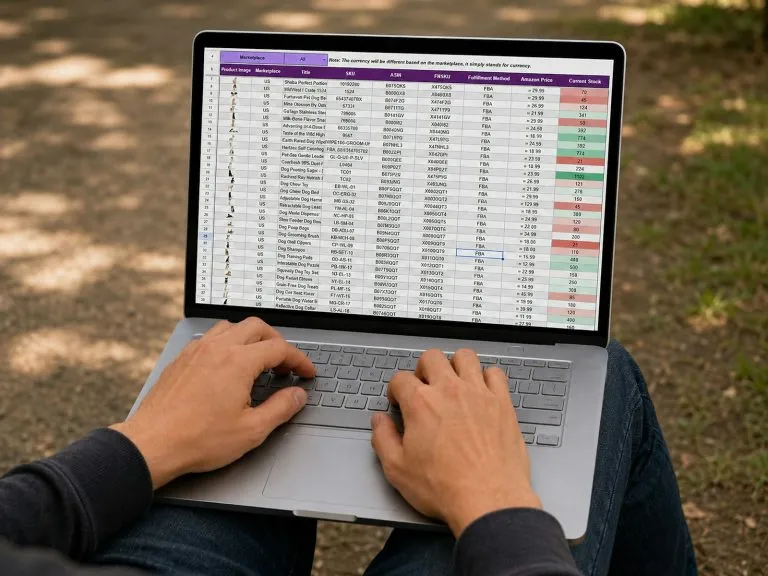
A relational database stores information in tables, a little like spreadsheets. A row is one record, such as one customer or one order. A column is one type of information, such as a name, city, date, or amount. SQL is how you ask the database to show, filter, combine, count, and update that information.
Where SQL Shows Up at Work
SQL is not only for programmers. Data analysts use it to build reports, support teams use it to check records, marketing staff use it to build customer lists, and finance assistants use it to summarise transactions. Even roles that never write SQL full time work with people who do.
To see what data roles involve day to day, check the job descriptions in the U.S. Bureau of Labor Statistics Occupational Outlook Handbook, which describes what workers in many occupations do and the skills those roles commonly require.
How SQL Fits With Your Other Skills
SQL works best in a small, practical toolkit. Many beginners pair it with spreadsheet skills, because analysts often pull data with SQL, then tidy it in a spreadsheet. If you are building that side too, knowing how long it takes to learn Excel helps you plan both skills in a sensible order. A guide to the most in-demand skills employers want can then help you choose what comes next, such as data visualisation or Python.
What “Beginner Level” Really Means
Employers do not expect a beginner to know everything. A solid beginner can read a simple table, select specific columns, filter rows, sort results, use basic counts and totals, join two tables, and group results into a summary. That already covers a large share of entry-level tasks. When people ask how to learn sql for beginners for free, this level is the target to aim for first: achievable, useful, and testable.
What You Need Before You Start
You need very little to begin: a computer, an internet connection, and a place to run queries. Many free practice sites let you write SQL in your browser, so nothing needs installing on day one. A free database tool on your own computer is an optional later step.

Choose One Starting System and Stay With It
Several systems use SQL, including MySQL, PostgreSQL, SQLite, and SQL Server. Their core beginner language is very similar, so small differences should not worry you yet. Pick the system your free course or practice site uses, and stay with it until your basics are solid.
Set Up a Simple Practice Routine
Decide in advance when you will practise. A short session most days beats one long weekly session, because you forget less between sessions. Keep a learning log of queries that worked and errors you fixed; it becomes valuable when you revise for interviews. Free courses and practice sites can change details such as sign-up rules, so verify them on the official page first.
The Beginner SQL Roadmap: What to Learn and in What Order
Order matters. Beginners struggle not because SQL is too hard, but because they meet advanced ideas before the basics are firm. If you are following a plan for how to learn sql for beginners for free, use this sequence and do not skip ahead.
Stage 1: Tables, Rows, and Your First SELECT Query
Everything starts with SELECT, the command that reads data from a table. First learn to select all columns, then only the columns you name. Naming columns is a good habit, because real tables can be wide, and clear queries are easier to check and share.
SELECT first_name, last_name, city
FROM customers;
Read queries aloud in plain words — it helps you spot mistakes early.
Stage 2: Filtering With WHERE
Next, learn to filter rows so you only see records you care about. The WHERE clause sets conditions, such as a city, a date range, or an amount above a value, using equals, greater than, less than, and AND, OR, and NOT.
SELECT first_name, last_name, city
FROM customers
WHERE city = 'Chicago'
  AND signup_year = 2025;
Notice the single quotation marks around the text value. Details like this matter, and practice makes them automatic. Also learn how missing values behave, because empty fields differ from zero or blank text.
Stage 3: Sorting and Limiting Results
The ORDER BY clause sorts rows by date, name, or amount, ascending or descending. Limiting results helps when you only need the top few rows, such as the ten most recent orders.
SELECT order_id, customer_id, order_date, total_amount
FROM orders
ORDER BY order_date DESC
LIMIT 10;
The word for limiting rows can differ slightly between systems, but the idea is the same: sort first, then take only the rows you need.
Stage 4: Working With Numbers and Text
Next, learn everyday functions: counting rows, adding amounts, finding averages, and finding smallest and largest values, plus simple text and date tools. Learn a few functions well rather than collecting long lists you never use.
SELECT COUNT(*) AS total_orders,
       SUM(total_amount) AS total_sales,
       AVG(total_amount) AS average_order
FROM orders;
The AS keyword gives a result column a clear name, making output easier to read and explain.
Stage 5: Summaries With GROUP BY
GROUP BY summarises many rows into a few meaningful lines, such as orders per city or sales per month. The HAVING clause then filters those summaries, for example to show only cities above a chosen number of orders.
SELECT city, COUNT(*) AS customer_count
FROM customers
GROUP BY city
HAVING COUNT(*) >= 20
ORDER BY customer_count DESC;
Many beginners confuse WHERE and HAVING: WHERE filters rows before grouping, and HAVING filters the grouped results afterwards. Write that in your learning log.
Stage 6: Joining Tables With JOIN
Real databases split information across tables on purpose: customers in one table, orders in another, products in a third. A JOIN combines them, such as showing each order with the name of the customer who placed it.
SELECT c.first_name, c.last_name, o.order_id, o.order_date, o.total_amount
FROM customers AS c
INNER JOIN orders AS o
  ON c.customer_id = o.customer_id
ORDER BY o.order_date DESC;
Start with INNER JOIN, which returns only rows that match in both tables. Then learn LEFT JOIN, which keeps all rows from the first table even when there is no match. Joins become routine once you practise on small tables you can check by eye.
Stage 7: Subqueries and Next Steps
After joins, try subqueries — queries inside queries — and learn how data is added, changed, and removed, practising only on sample data. Then choose a next direction by job goal.
Your Free Study Plan, Week by Week
A plan turns intentions into finished skills. This outline spreads the roadmap over six weeks of part-time study, at roughly five short sessions a week. Move faster with more time, or stretch each week over two with less. Anyone planning how to learn sql for beginners for free can adapt it without changing its structure.
Week 1: Tables and First Queries
Learn tables, rows, and columns, and practise SELECT with named columns. Write at least twenty small queries, and end the week able to explain what a query does.
Week 2: Filtering and Sorting
Add WHERE, AND, OR, and NOT, practising conditions on text, numbers, and dates. Then learn ORDER BY and limiting results, and test yourself with five written questions about a sample table.
Week 3: Calculations and Summaries
Learn COUNT, SUM, AVG, MIN, and MAX, then GROUP BY and HAVING. Practise totals per category and counts per month, checking results by hand.
Week 4: Joins
Work with two related tables, such as customers and orders. Practise INNER JOIN until it feels normal, then LEFT JOIN. Draw the tables on paper and mark the connecting columns.
Week 5: Mixed Practice
Work through mixed exercises that do not label which topic each question uses. Real work never labels its problems, so this is where skills become usable. Note every shaky idea as your revision list.
Week 6: A Small Portfolio Project
Build one complete mini-project, described later in this article, and write a short summary of the questions, queries, and results. You can adapt it for applications and interviews.
How to Practise SQL for Free, the Right Way
Practice quality decides how fast you improve. Watching a query being written is not the same as writing one. These habits make free practice far more effective. That routine is the heart of how to learn sql for beginners for free.
Type Every Query Yourself
Never copy and paste practice queries while learning. Typing forces you to notice clause order, commas, and column names. When you make a mistake, read the error message slowly — it usually points to the problem, and reading errors is itself a job skill.
Start With Small Tables You Can Check by Eye
Begin with tiny tables of ten or twenty rows, where you can predict the answer before running the query. A surprising result means a misunderstanding found early, while it is cheap to fix. Move to bigger datasets only after small-table results are reliably correct.
Turn Questions Into Queries
Practise translating plain questions into SQL. Take “Which five products appear most often in orders?” and break it into parts: table, columns, grouping, sorting, and number of rows. This is exactly what analysts do at work, and it sits at the core of how to learn sql for beginners for free, because exercises only help if you think in questions first.
Review, Rewrite, and Keep a Mistake Log
Once a week, rewrite earlier queries from memory; if you cannot rebuild one, that topic needs more practice. Also log mistakes you repeat, such as a forgotten comma. A short log becomes a personal checklist to scan before any important query.
Worked Example: Answering a Business Question Step by Step
Imagine a small online shop with two tables. Customers holds customer_id, first_name, last_name, and city. Orders holds order_id, customer_id, order_date, and total_amount. Your manager asks: “Which cities gave us the most orders, and what was the total value in each? Show the biggest cities first.”
Step 1: Break the Question Into Parts
The question needs city, from customers, and counts and amounts, from orders, so a join is needed. “Most orders” means counting per city, and “biggest first” means sorting by that count descending. Breaking a question into parts before writing code is the most useful habit in this guide.
Step 2: Write the Query
SELECT c.city,
       COUNT(o.order_id) AS total_orders,
       SUM(o.total_amount) AS total_value
FROM customers AS c
INNER JOIN orders AS o
  ON c.customer_id = o.customer_id
GROUP BY c.city
ORDER BY total_orders DESC;
Step 3: Check the Result Like an Analyst
Do not stop when a query runs without errors — it can run and still be wrong. Add the order counts and check the total matches the orders table. Pick one city and confirm its count by hand. Employers value this habit, because wrong numbers damage real decisions.
Build a Small Portfolio Project
A finished project proves your skill in a way a course completion line cannot, and gives you something concrete to discuss in interviews. It needs to be complete, correct, and clearly explained — not large. A project also shows how to learn sql for beginners for free in a practical way.

A Simple Project Idea That Works
Use a free sample dataset about a shop, a library, or a sports league. Write down eight to ten questions a manager might ask, such as the busiest month or the highest-total categories. Answer each with a query, save them in one tidy file, and write two or three sentences under each explaining the result. Finish with your three most interesting findings.
How to Present Your Project and Talk About It
Keep the project in a simple folder you can share when asked, with clear file names and comments in your SQL. Never invent results or copy someone else’s project; interviewers ask follow-up questions, and honest work survives them. In interviews, practise thinking aloud: name the tables and columns, describe the filter, then write the query.
Common Mistakes Beginners Make With SQL
Almost every beginner makes the same mistakes. Knowing them in advance saves hours of frustration, whichever free route you choose for how to learn sql for beginners for free.
Mistake 1: Watching and Reading Without Writing
Tutorials feel productive, but skill only forms when you write queries and fix your own errors. For every hour of watching, spend at least an hour writing and checking queries yourself.
Mistake 2: Trying to Learn Every Database System at Once
Moving between systems before your basics are firm creates confusion about small differences that do not matter yet. Master the core in one system first.
Mistake 3: Skipping the Checking Step
Accepting the first result is the most expensive beginner habit. Always sanity-check counts, totals, and a few rows. Real datasets contain duplicates and surprises; your job is to notice them.
Mistake 4: Ignoring Missing Values
Empty fields, called NULL values, do not behave like zero or empty text. Counts, averages, and filters can surprise you when missing values are present, so test on data that includes some.
Mistake 5: Learning Topics in a Random Order
Jumping to joins before filtering is solid creates a shaky structure that collapses on mixed exercises. Follow the roadmap order; discipline early buys speed later.
Mistake 6: Giving Up After the First Hard Week
Joins and grouping feel hard for almost everyone at first. That means you have reached the valuable part, not that SQL is not for you. Slow down, return to small tables, and work one clause at a time.
Your SQL Learning Checklist
Working through this checklist in order is a practical summary of how to learn sql for beginners for free.
- Explain what a table, row, and column are in plain words
- Set up a free way to run queries and a learning log
- Write SELECT queries naming only the columns you need
- Filter rows with WHERE, AND, OR, and NOT
- Sort results and limit them to the top rows needed
- Use COUNT, SUM, AVG, MIN, and MAX correctly
- Summarise with GROUP BY and filter summaries with HAVING
- Join two tables with INNER JOIN and explain LEFT JOIN
- Check results by hand on small tables before trusting them
- Translate a plain business question into a query, step by step
- Complete mixed practice exercises without topic labels
- Finish one small portfolio project with written explanations
- Describe your SQL level honestly in an application
Conclusion
Learning SQL does not require paid courses, expensive software, or a technical degree. It requires a clear order of topics, daily hands-on practice, and the habit of checking your own results. Follow the roadmap: SELECT first, then filtering, sorting, calculations, grouping, joins, and mixed practice. Finish with one small, honest portfolio project. That is how to learn sql for beginners for free without paying for a course.
If you have been wondering how to learn sql for beginners for free, you now have the full picture: free resources supply the material, but your routine supplies the result. Protect a short practice slot most days, type every query yourself, keep a mistake log, and verify current details of any course or tool on its official page. Within a few weeks, you can answer real data questions with confidence — a skill employers across America, Europe, and the rest of the world ask for again and again.
Frequently Asked Questions
How long does it take to learn beginner SQL?
Most beginners reach a solid level in a few weeks of regular, hands-on practice in short sessions most days. The exact time depends on your schedule and how much of each session you spend writing queries yourself, rather than only watching videos.
Can I really learn SQL completely for free?
Yes. Free courses, official documentation, and browser-based practice sites cover every topic in the roadmap. Check the official page of any resource for its current sign-up rules and what is included free, because offers can change. This is the honest core of how to learn sql for beginners for free: the material is available, and your practice does the rest.
Do I need maths or programming experience before SQL?
No. Beginner SQL uses simple comparisons, counts, totals, and averages anyone can learn step by step. Many analysts learn SQL first because its statements read close to plain English questions about data.
Which database system should a beginner choose?
Any widely used system is fine, because the beginner language is almost the same across all of them. Choose the system your free course or practice site uses, and stay with it until your basics are solid.
How do I prove my SQL skills to an employer without a certificate?
Complete a small portfolio project with saved queries and short explanations of each result. Many employers also use short practical tests, so regular mixed practice is the best preparation.