Video Interview Tips for Remote Jobs: How to Look Confident on Camera
Good video interview tips for remote jobs can make the difference between feeling nervous on camera and coming across as calm, clear, and ready to work from anywhere. A remote interview is not just a normal interview on a screen. The employer is also quietly checking whether you can communicate well online, handle basic technology without stress, and stay professional when you are working from home. Your answers matter, but so does everything around them: your sound, your lighting, your background, and how well you listen when there is a small delay.
This guide gives you practical video interview tips for remote jobs step by step, from testing your technology and setting up your camera to preparing strong answers, practising out loud, asking good questions, and following up well. You will find simple examples for different kinds of remote roles, a list of common mistakes that quietly hurt good candidates, a checklist you can use on the day, and answers to frequent questions. You do not need expensive equipment or a perfect home office. You need a reliable setup, a clear way of speaking, and a little preparation done early enough that you can relax and be yourself when the call starts.
Quick Answer
The best video interview tips for remote jobs are simple: test your camera, microphone, internet connection, and interview link at least a day before, and again an hour before. Sit facing a light source with the camera at eye level, a clean and quiet background behind you, and your phone on silent. Dress as you would for an in-person interview, look at the camera when you speak, and keep your answers short, clear, and built around real examples. Prepare for common questions, practise out loud on video, have thoughtful questions ready for the employer, and send a short thank-you message the same day.
When your setup is calm and tested, the interviewer can focus on your skills instead of on problems with sound, light, or connection.
Table of Contents
Why Video Interviews for Remote Jobs Are Different
Many candidates prepare their answers and nothing else. For a remote job, that is only half the job. Understanding what else the employer is learning from the call helps you use video interview tips for remote jobs in the right way.
The interview is also a work sample
In an office job, an employer can assume you will have a desk, a working computer, and people around you to ask for help. In a remote job, you will join meetings, explain ideas, and solve problems through a screen, often with colleagues in other cities or countries. A video interview is the closest thing to a real sample of that daily work. If you join on time, handle a small technical problem calmly, speak clearly, and listen carefully, you are showing the exact habits the team will rely on every week.
This is good news if you prepare. You do not have to guess what “good remote communication” looks like. You can show it in forty-five minutes: clear sound, steady eye contact, answers that get to the point, and questions that show you understood what was said.
Step 1: Understand the Interview Format Before You Prepare
Not all video interviews are the same, and the format changes how you should prepare. Spend a few minutes getting this clear first. The video interview tips for remote jobs in this guide work for live calls and recorded answers alike.
Live video interviews
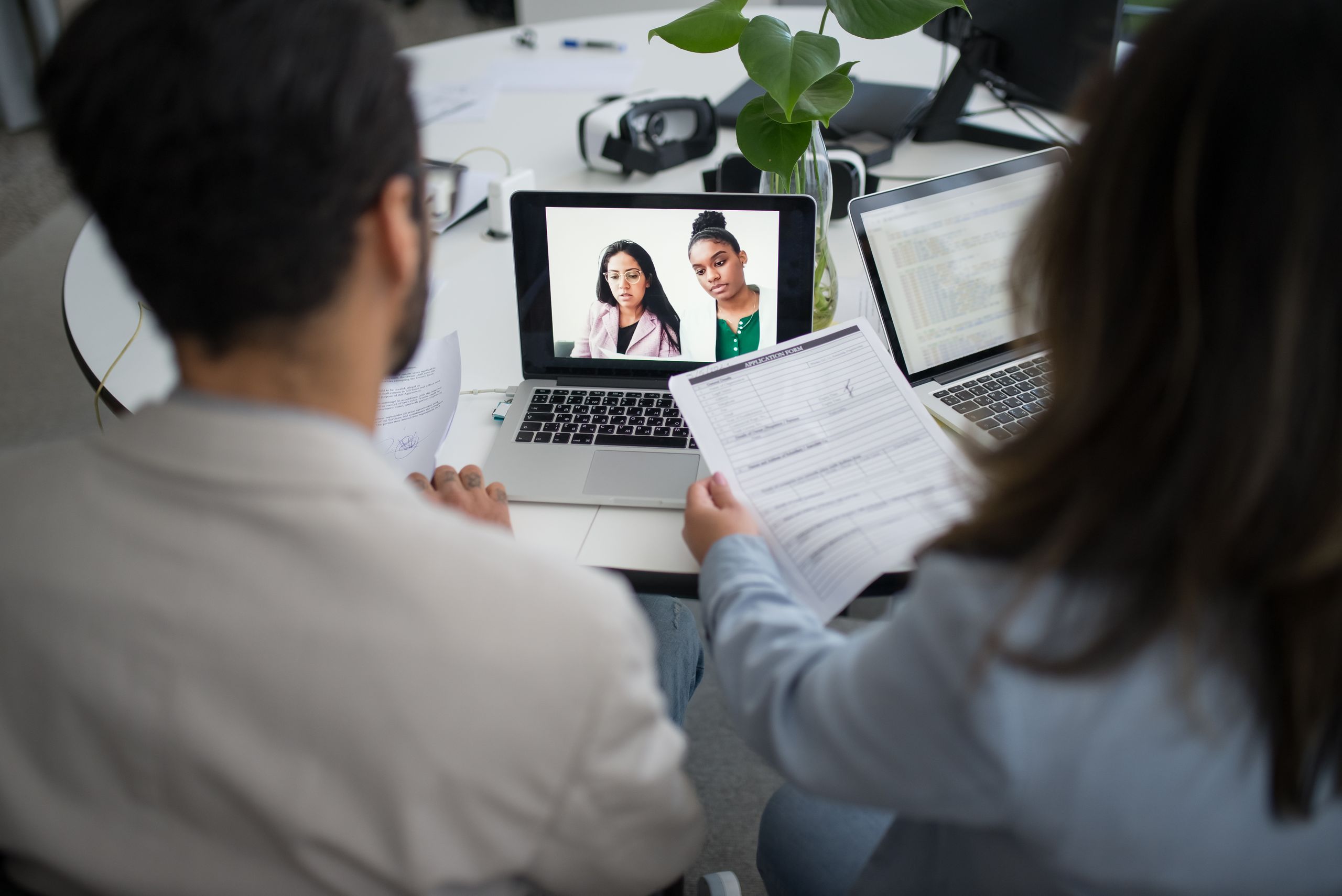
A live interview is a real conversation with one or more people, usually on a tool such as Zoom, Microsoft Teams, Google Meet, or a similar platform named in your invitation. Prepare as you would for any interview: research the company, prepare examples, and expect follow-up questions. Also check whether it is a panel interview with several interviewers. If it is, learn the names and roles of each person if they are shared in advance, and look at each person on screen as they speak, then back at the camera when you answer.
One-way or recorded video interviews
Some employers, especially for first-round screening, ask you to record answers to questions shown on screen. You usually get a short thinking time, a time limit for each answer, and sometimes a chance to re-record. This format feels strange because there is no reaction from another person. The key video interview tips for remote jobs in this format are to practise recording yourself, keep each answer inside the time limit, look at the camera as if it were a friendly person, and finish your point cleanly instead of trailing off. Do a full practice run in the same system if a practice question is offered. Never skip the practice question.
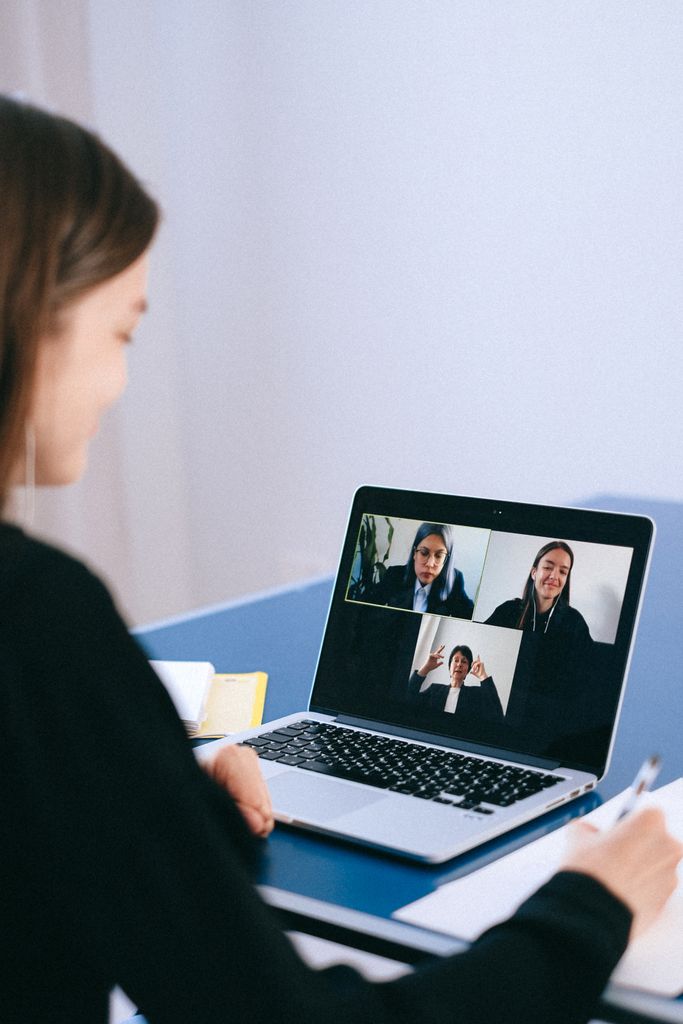
Step 2: Set Up Your Technology Early
Technology problems are the most common reason video interviews go badly, and they are also the easiest to prevent. This section is the technical heart of video interview tips for remote jobs.
Test everything at least a day before
Open the exact link or app you will use, on the exact device you will use, in the exact room you will sit in. Check that your camera shows a clear picture, your microphone records your voice clearly, and your speakers or headphones let you hear well. Many platforms have a test or preview screen; use it. Record a short test video of yourself answering a simple question and play it back. Listen honestly: is your voice clear, too quiet, or echoing? Is your face easy to see? Fixing a problem a day early is calm. Fixing it two minutes before the call is not.
If you need to install an app or create an account for the platform, do it during this test, not on the day. Updates also love to appear at the worst moment, so open the app early on the interview day as well and let any update finish long before you join.
Internet connection: keep it simple and stable
A stable connection matters more than a fast one. If you can, sit close to your router or connect your computer with a cable. Close programs you do not need, especially downloads, cloud backups, streaming video, and extra browser tabs, because they quietly use bandwidth. If other people in your home will be online at the same time, politely tell them when your interview is and ask them to avoid heavy streaming or downloads during that hour if possible.
Have a backup plan. Know how to turn your phone into a hotspot if your home internet fails, and keep your phone charged and nearby, on silent but within reach. If the connection does break during the interview, stay calm, turn your camera off briefly if the interviewer suggests it to save bandwidth, or rejoin and apologise briefly. How you handle a glitch is itself a useful signal for a remote employer.
Sound: the most important detail of all
Interviewers forgive an ordinary camera. They struggle with bad sound. A quiet room and a simple pair of earphones with a built-in microphone are often better than a laptop microphone across a room, because the microphone sits close to your mouth and cuts out echo. Whatever you use, test it by recording yourself. Speak at your normal volume and pace. If you sound distant or muffled, move closer, change the microphone setting in the app, or try the earphones.
Reduce noise at the source. Close windows and doors, turn off the television and music, silence notifications on your computer and phone, and let people in your home know you need quiet for that hour. If you live somewhere noisy that you cannot control, choose the quietest time and room you can, sit close to the microphone, and mention nothing unless noise actually interrupts; drawing attention to a problem that never happens only adds stress.
Step 3: Get Camera, Lighting, and Background Right
You do not need a studio. You need the interviewer to see your face clearly, without distraction, for the whole call. These video interview tips for remote jobs take ten minutes to apply and make a visible difference.
Camera position and framing
Raise your camera to eye level. A laptop sitting flat on a desk points up at your chin and the ceiling, which looks awkward and feels distant. Put the laptop on a small stack of books or a box so the lens is level with your eyes. Sit far enough back that your head, shoulders, and a little space above your head are in the frame. Leave a small gap between your head and the top of the frame, and avoid sitting so close that your face fills the whole screen.
Look at the camera lens when you speak, not at your own picture. This feels unnatural at first, but on the other side it looks like direct eye contact, and it builds trust. A useful trick is to make the interviewer’s window small and drag it near your camera, so looking at them and looking at the lens become almost the same thing. Glance down at your notes only briefly. Long periods of reading from a screen or paper are easy to spot and break connection.
Lighting that helps your face
Light should come from in front of you, not from behind you. Sit facing a window or a lamp so the light falls on your face. If a bright window is behind you, your face will appear dark and the camera will struggle; close the curtain or turn around. Soft daylight from the side or front is ideal. In the evening, a simple desk lamp placed in front of you and slightly to one side, softened so it is not harsh, works well.
Check your test recording for shadows and glare, especially if you wear glasses. A small change in angle often fixes reflections on lenses. Avoid very dim rooms and strong overhead lights that cast deep shadows. The goal is boring and clear: a face that is easy to read, with natural colour and no squinting.
A background that says “ready to work”
Choose a plain wall or a tidy, calm part of a room. Remove clutter, laundry, unmade beds, and posters with busy text from the frame. A few ordinary, neat objects are fine; the background does not need to look like a showroom, just cared for. If your space is shared or hard to tidy, sit closer to a plain wall or use a simple, neutral virtual background if the platform offers one and your computer handles it well. Test virtual backgrounds first: on weaker computers they can flicker around your hair and hands, which is more distracting than a real, slightly imperfect room.
Also think about privacy. A video call shows your home to strangers. Move personal photos, documents, and anything you would rather keep private out of the frame. That protects you and helps you relax.
Step 4: Dress and Present Yourself With Confidence
Remote does not mean casual for an interview. How you present yourself tells the employer how seriously you take the opportunity, and it also changes how confident you feel.
What to wear on camera
Dress as you would for an in-person interview for that company, or one step smarter than the team’s everyday style if you are unsure. A clean, plain shirt, blouse, or smart top in a solid colour works well on camera. Very bright colours, busy patterns, thin stripes, and logos can look noisy or flicker on video, so choose simple and neat. Check that your clothes are clean and pressed, your hair is tidy, and you look like yourself on a good day.
Dress fully, not just from the waist up. It sounds like a joke until someone has to stand up mid-call to close a door. Wearing complete interview clothes also puts your mind in interview mode. Small thing, real effect.
Body language through a screen
Sit up straight with your feet on the floor and your shoulders relaxed. Leaning slightly toward the camera at key moments shows interest; leaning back, swivelling on a chair, or looking around the room suggests the opposite. Nod and smile naturally when the interviewer speaks, so they can see you are listening. On video, these signals need to be a little clearer than in person, because the interviewer cannot read the whole room.
Keep your hands mostly still and in a natural position. Talking with your hands is fine in moderation, but constant movement close to the camera is distracting. Take a breath before you answer. A short pause looks thoughtful on video and helps you start with your main point instead of a filler phrase.
Speak clearly, at an easy pace
Remote interviews often include a tiny audio delay. Speak a little more slowly than usual, finish your sentences, and pause briefly before answering a new question, so you do not talk over the interviewer. Use short sentences. Say your main point first, then the example or detail. If you did not hear a question properly, it is always acceptable to say, “Could you repeat that, please? The sound cut out for a moment.” Asking once, politely, is far better than answering the wrong question confidently.
Step 5: Prepare Strong Answers for Remote Roles
Setup gets you seen and heard. Preparation gets you hired. The most useful video interview tips for remote jobs now turn to what you actually say.
Research the company and the role
Read the job description slowly and mark the skills, tools, and duties it repeats. Those repeated words are the employer’s priorities. Then read the company’s website, its product or service pages, and any recent news or blog posts, so you can explain in one or two sentences why this company and this role interest you. Generic praise convinces nobody. A specific reason does: the customers they serve, the market they work in, or the way the team is built.
It also helps to understand where the role sits in the wider world of work. The U.S. Bureau of Labor Statistics at https://www.bls.gov/ooh/ describes hundreds of occupations, including what workers do, the skills they need, and the outlook for each field. Browsing the page for your occupation before an interview gives you accurate, calm language for talking about your field and where it is heading.
Prepare for the common questions first
Most interviews, remote or not, return to a familiar set of questions about your experience, your strengths, a difficult situation, and why you want the job. Work through a solid list of common interview questions and answers at https://careerschooled.com/common-interview-questions-and-answers/ and prepare a short, honest answer for each one in your own words. Do not memorise scripts word for word; memorised answers sound flat on video and fall apart when the interviewer asks a follow-up. Instead, know your key points and examples well enough to say them in different words.
A simple structure keeps answers clear: situation, task, action, result. Describe the situation briefly, say what you needed to do, explain the action you took, and end with the result. Keep most answers to about one to two minutes. On video, long answers lose the listener faster than in a room, because there are fewer signals to hold attention.
Expect the remote-specific questions
Remote employers ask extra questions because remote work needs self-management. Prepare examples for questions like these: How do you organise your day when nobody is watching? How do you communicate progress to a team in other time zones? Tell me about a time you solved a problem alone before asking for help. What tools have you used for chat, video calls, documents, and task tracking? What do you do when you feel stuck or distracted at home?
Answer with evidence, not promises. Instead of “I am very organised,” describe your real system: a morning plan, a task list, written updates at the end of the day, or a weekly check-in you started in a past role, course, or volunteer project. If you are early in your career, examples from study, freelance tasks, family business help, or community work still count when you explain them clearly. If that is your situation, the guide on how to get a job with no experience at https://careerschooled.com/how-to-get-a-job-with-no-experience/ shows how to turn limited experience into honest, relevant examples.
Step 6: Practise on Video, Not Just in Your Head
Reading your answers silently is not practice. Video interviews reward people who have actually spoken their answers out loud, on camera, before the day.
Do at least two practice recordings
Record yourself answering five or six likely questions, using the same setup you will use in the real interview. Watch the recordings with a kind eye but an honest one. Check the picture and sound first: framing, light, background, volume. Then check your delivery: do you look at the camera, or drift to your own image? Do you rush, use many filler words, or start answers with a long, vague sentence? Do you finish answers cleanly?
Fix one or two things at a time and record again. Most people improve noticeably between the first and second recording, simply because the camera stops feeling strange. That is the real point of practice: the real interview becomes your third or fourth time doing this, not your first.

Step 7: On the Day — Before, During, and Just After the Call
Good video interview tips for remote jobs come together in a simple routine on the day itself.
One hour before
Restart your computer if you have not already, open the meeting app, and run the camera and microphone test one last time. Lay out your notes, a glass of water, and a pen. Visit the bathroom, check your appearance in the camera preview, and silence your phone and computer notifications. Tell your household the interview is starting. Join the meeting five to ten minutes early if the platform allows a waiting room; being ready when the interviewer arrives feels calm and professional. If joining early is not possible, be ready to click at the exact time, never late.
During the interview
Listen fully before answering, especially with any audio delay. Take notes on key points so your later answers and questions connect to what was actually said. Refer back to earlier parts of the conversation when you can: “As you mentioned about the team working across two time zones, in my last role I…” Connections like this show attention, which is harder to prove on video and therefore worth proving deliberately.
Be honest about what you do not know. If a question covers a tool or skill you have not used, say so plainly, then describe the closest thing you have done and how you would learn. Remote employers depend on honest updates from people they cannot see; bluffing in the interview works against you twice, once for the gap and once for the trust.
Watch the time in longer interviews. If you are unsure whether to keep talking, it is fine to ask, “Would you like more detail on that, or shall we move on?” That question is polite, efficient, and very remote-friendly.
If something goes wrong
A dropped call, a doorbell, a child or pet appearing, a sudden drilling noise from next door: these things happen in real homes, and interviewers who hire remotely know it. Apologise briefly, fix what you can, and continue. Do not give a long explanation or let one interruption spoil the rest of your answers. One brief, good-humoured recovery is forgotten in minutes. Visible panic is remembered longer. Your backup plan from Step 2 — phone hotspot, recruiter’s number, a charged phone — turns most disasters into thirty-second pauses.
Step 8: Ask Questions That Show You Understand Remote Work
The questions you ask are part of the interview, not an extra at the end. For remote roles, the best questions show you are thinking about how the work actually happens day to day. The best video interview tips for remote jobs treat your questions as part of the interview, not an afterthought.
Ask about communication: How does the team stay in touch day to day? Which tools does the team use for chat, meetings, and documents? How are meetings shared across time zones? Ask about expectations: How is success in this role measured in the first months? How often are check-ins with the manager? Ask about support and growth: Is there an onboarding plan for remote starters? Is equipment provided, or is there a budget for it? How does the team handle learning and feedback?
You can also ask about the next steps and the timeline, which is always appropriate. Avoid asking only about pay, holidays, and perks in a first interview unless the recruiter raises them; those details matter, and there is a right stage for them, but leading with them can crowd out the impression you want to leave. Bring more questions than you need, because some will be answered during the conversation. Never say you have none: that wastes your last chance to show interest and to learn whether this remote setup truly suits you.
Step 9: Follow Up Like a Professional
The interview does not end when the call ends. A short, prompt follow-up is one of the easiest video interview tips for remote jobs to follow, and many candidates still skip it.
Send a thank-you email the same day, ideally within a few hours while the conversation is fresh. Keep it short: thank the interviewer by name, mention one specific topic you enjoyed discussing, repeat your interest in the role in one sentence, and, if you promised to send anything — a sample, a link, a reference detail — attach or include it. Check names, spelling, and the company name carefully before sending. A sloppy follow-up can undo a careful interview.
Then wait patiently for the timeline you were given. If that date passes with no news, one polite follow-up message is appropriate. Keep it brief, repeat your interest once, and do not send repeated messages. While you wait, write down what you were asked and how you answered, while you still remember. Whether or not this role works out, those notes make your next video interview noticeably better.
Common Mistakes in Video Interviews for Remote Jobs
Good candidates lose remote offers for avoidable reasons. Watch for these mistakes, which come up again and again. Avoiding them is one of the simplest video interview tips for remote jobs you can follow.
Testing nothing until the last minute
Joining late because an app needed an update, an account needed a password, or a camera would not start is the most damaging and most preventable mistake. It also signals the opposite of remote readiness. The fix is Step 2: test a day before, on the real device, in the real room.
A dark room, a loud room, or a messy background
Interviewers rarely comment on setup, but they notice. A face in shadow, a television in the background, or a bed covered in clothes behind you all distract from strong answers. Ten minutes of lighting and tidying protects the impression your preparation deserves.
Reading answers and avoiding the camera
Eyes that move along lines of text are unmistakable on video. So is staring at your own image for the whole call. Prepare points, not scripts, and practise looking at the lens until it feels normal. Brief glances at short notes are fine; performances read from a page are not.
Talking too long and too fast
Video flattens tone and removes many of the cues that hold attention in a room. Long, fast answers lose people. Say the main point first, give one example, and stop. Let the interviewer ask for more if they want it. Shorter, clearer answers also leave more time for a real conversation, which is where offers are usually decided.
Video Interview Checklist for Remote Jobs
Use this checklist before every interview. It gathers the video interview tips for remote jobs in this guide into one page you can tick off.
A day before:
- Confirm the date, time, time zone, platform, and interviewers’ names.
- Test the link, camera, microphone, and sound in the room you will use.
- Install any app, finish any updates, and prepare a phone hotspot as backup.
- Research the company and mark the key skills in the job description.
- Prepare examples for common and remote-specific questions.
- Write down three or four questions to ask the employer.
An hour before:
- Restart the computer, plug it in, and close unneeded programs and tabs.
- Set the camera at eye level and check framing, light, and background.
- Put on full interview clothes and check your appearance on camera.
- Silence the phone and notifications; tell your household you need quiet.
- Lay out short keyword notes, a pen and paper, and a glass of water.
During the call:
- Join a few minutes early, smile, and greet the interviewer by name.
- Look at the camera when speaking; listen fully before answering.
- Keep answers to one or two minutes: main point, example, result.
- Take notes, refer back to what was said, and be honest about gaps.
- Ask your prepared questions and confirm the next steps.
After the call:
- Send a short, specific thank-you email the same day.
- Send anything you promised during the interview.
- Write down the questions you were asked and how you answered.
- Note the timeline you were given, and follow up once, politely, if it passes.
Conclusion
Video interviews reward preparation that anyone can do. None of the video interview tips for remote jobs in this guide needs money, special talent, or a perfect home. Test your technology a day early. Put your camera at eye level, light your face from the front, and tidy what sits behind you. Prepare real examples for common and remote-specific questions, practise them out loud on camera, and keep your answers clear and to the point. Ask questions that show you understand remote work, recover calmly if something goes wrong, and follow up the same day.
Do these things and the screen stops being a barrier. It becomes what it should be: a fair chance to show a team, wherever they are, exactly how well you would work with them.
FAQ
How early should I join a video interview?
Join five to ten minutes early if the platform has a waiting room or lobby, so you are settled when the interviewer arrives. Use any extra minutes to check your framing, sound, and notes one last time. If the platform does not allow early joining, be ready at your computer, link open, at least ten minutes before, and join exactly on time. Being late to a video call, where no travel is involved, is hard to explain, so treat the start time as fixed and plan backwards from it.
What should I do if my internet fails during a remote job interview?
Stay calm and act quickly. If the picture freezes but sound works, say so and suggest turning cameras off to help the connection. If the call drops completely, rejoin as soon as you can; if that fails, switch to your phone hotspot or join by phone, and email or call the recruiter using the contact details you saved before the interview. Apologise once, briefly, and then continue with the interview. Employers who hire remotely have seen connection problems before. A calm, prepared recovery can actually strengthen the impression you leave.
Can I use notes during a video interview?
Yes, if you use them lightly. A short list of keywords, your prepared questions, and key facts about the company, kept on paper beside you or in a small note you glance at rarely, is normal and sensible. What does not work is reading full answers: your eyes move, your voice flattens, and interviewers notice immediately. Prepare well enough that notes are only a safety net. If you need to check a date or a detail, it is fine to say so openly and glance down for a second.
What should I wear for a video interview for a remote job?
Wear what you would wear to an in-person interview at that company, even though the role is remote and your everyday work clothes would be more casual. A clean, neat top in a plain, solid colour looks best on camera and avoids the flicker that busy patterns and thin stripes can cause. Dress fully, including the parts the camera does not show, so you feel properly in interview mode and are never caught out if you need to stand up. When in doubt, slightly too smart is safer than slightly too casual.
How long should my answers be in a video interview?
Aim for about one to two minutes for most answers. Start with your main point, support it with one brief example using the situation, task, action, and result structure, and then stop and let the interviewer respond. On video, attention fades faster than in person, and very long answers also risk being cut off by an audio delay or a connection dip. If the interviewer wants more, they will ask a follow-up, and that follow-up is a good sign that your answer landed well.